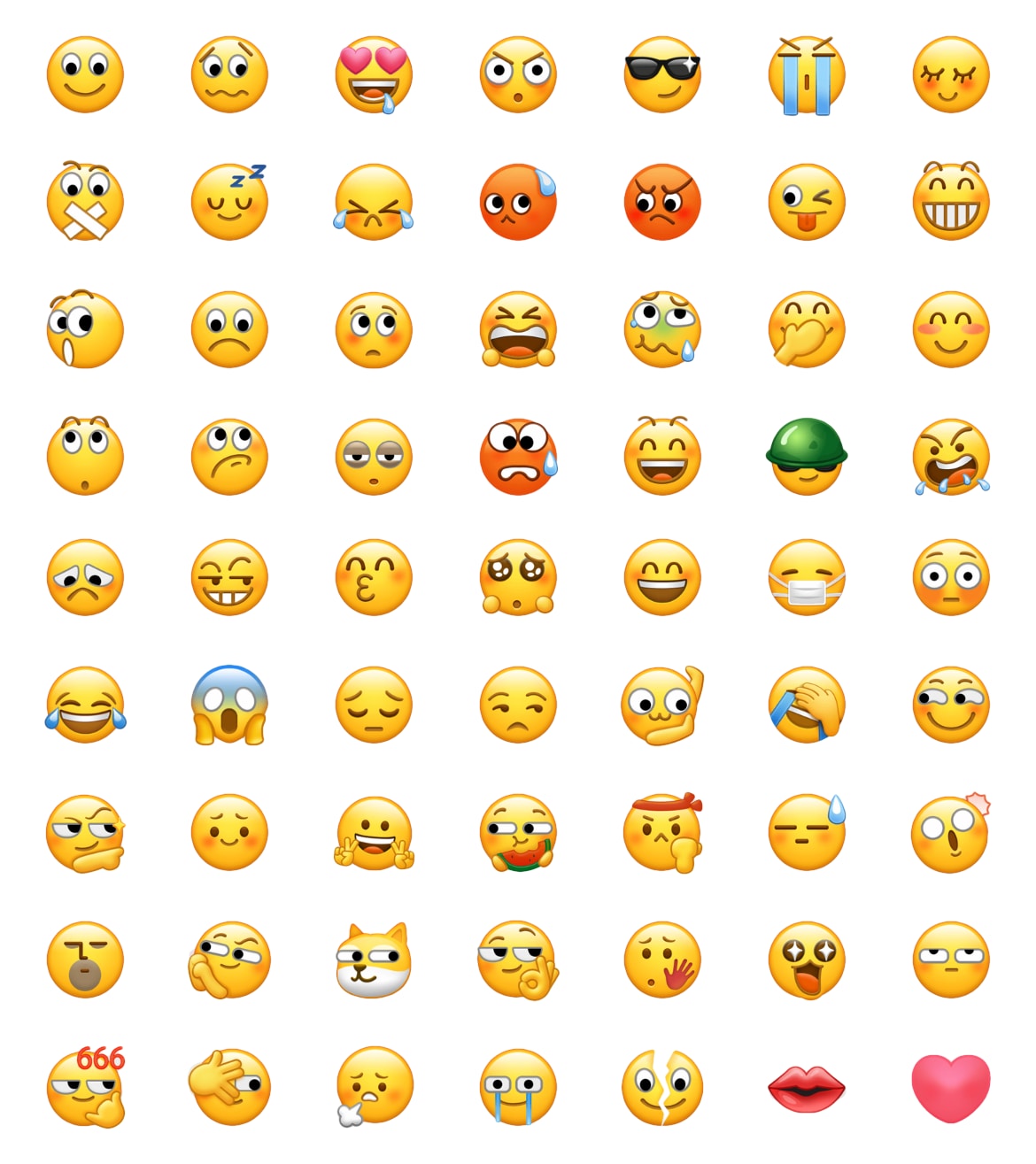
WeChat Emojis Directory
Compare 114 unique archived entries. Android artwork is shown for every entry; iOS artwork is displayed only where an archived file is available. English names are reference labels and may not match the searchable alias in a current WeChat client.
















































































How to Read This WeChat Archive
What the Two Columns Mean
Android 7.0.21
The Android column preserves the artwork associated with the archived WeChat 7.0.21 set. It should not be read as a preview of every current Android device.
iOS 8.0.2
The iOS column shows archived WeChat 8.0.2 artwork when the asset is available. A clearly labeled Android preview is used when an iOS image is missing.
How to Use the Reference
1. Identify the Artwork
Use the table to recognize a sticker or compare how an archived design differed between the two recorded clients.
2. Open the Detail Page
Select a row to view the archived image, reference label, available platform assets, and current-use caveats.
3. Verify in WeChat
Use WeChat's built-in emoji picker to find the native sticker. Do not assume an English label will convert when typed.
4. Treat Downloads as Images
A downloaded PNG is a standalone image reference. It is not the same as inserting a native WeChat sticker or shortcode.
Important Limitations
- Historical versions: Current clients may add, remove, rename, or redraw stickers.
- Language: English shortcode names are not standardized and can vary by client language.
- Surfaces: Availability can differ between chats, Moments, search, and other WeChat features.
- Meaning: The surrounding message and relationship determine tone; a label is not a universal definition.
Reference Source
The version labels and archive date are cross-checked against Emojipedia's WeChat archive, which also notes that English WeChat shortcode names are not standardized. Last editorial review: July 29, 2026.